Custom Icons Not Showing
If you find your custom icons aren't displaying in-game, then there are a couple of potential causes.
If no custom icons are showing, you almost certainly have an incorrect installation path or incorrectly named or structured files.
If some custom icons are showing, then you're likely running into the abnormally unmodifiable icons.
Incorrect installation path
I can't stress enough how easy it is to get this wrong, especially when you have reinstalled or moved the game. It's worth double, triple, even quadruple checking this is correct. Assuming the icons are structured correctly, there isn't really another reason for no custom icons to work.
NightLight Desktop
The correct path needs to be configured for the relevant store on the settings page.
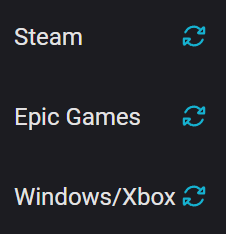
You can use the auto-detect feature to update the installation path by clicking the refresh icon for the associated store:
Manual installation
If you aren't using NightLight Desktop, take a look at the Installation Path guide for information on finding the path manually.
Incorrectly named or structured files
Dead by Daylight is very particular about the naming and structure of icon pack files, they have to exactly match the expected names and folders to work.
If you downloaded the pack from NightLight or through NightLight Desktop, then all icons in uploaded packs have been validated to make sure they're named and located correctly.
If you have created an icon pack, I'd recommend comparing the paths to the default icons. You can use the upload form in the NightLight Desktop app to do this as it will warn you about any files that are in the wrong place as part of the pre-upload checks.
Unmodifiable icons
Some icons just aren't modifiable, NightLight only supports categories which have been but some are no longer customisable.
In addition, there has been an unfortunate trend for new/reworked power icons to be unchangeable.
For a full list of categories and icons that are unmodifiable, take a look at the Unmodifiable Icons list.