Edge Blocking Installer Download
When downloading NightLight Desktop with Microsoft Edge you may find that the download is blocked with a warning message along the lines of:
nightlight-desktop-setup-0.1.2.exe isn't commonly downloaded. Make sure you trust nightlight-desktop-setup-0.1.2.exe before you open it.
The warning is rather self-explanatory but what isn't so clear is how to allow the download.
Allowing the Download
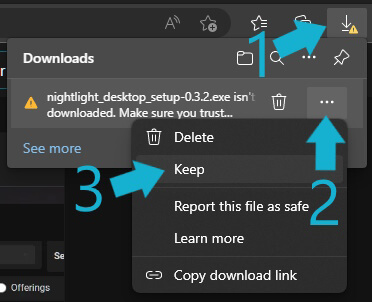
To allow the download, expand the Downloads pane and hover over the NightLight installer. This should reveal three dots which when clicked will show a menu, on this, click the Keep option.
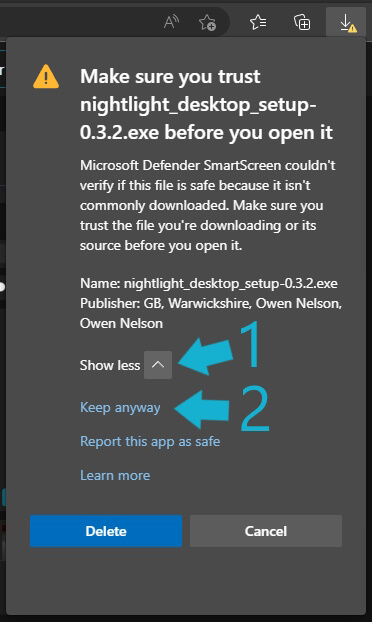
After clicking Keep you may also be shown a SmartScreen warning. If so, expand the options by clicking on Show more and click Keep anyway
You should now be able to run the installer normally.